Z-Offset Tuning
Plate Settings
If you find that your first layers are just a little far from the plate, Try using the “Textured PEI” setting if you were using the “Smooth PEI” plate setting. The “Textured PEI” plate setting puts the nozzle a bit closer to the plate, and is often enough to fix a z-offset not close enough issue.
Manual Z-Offset
If the plate settings don’t work, you can manually adjust the z-offset.
We’ve observed and experimentally confirmed that different filaments require different z-offsets sometimes. We know, it’s weird.
Making the change in the filament profile lets you tune the z-offset for each filament instead of changing it for all filaments and plates.
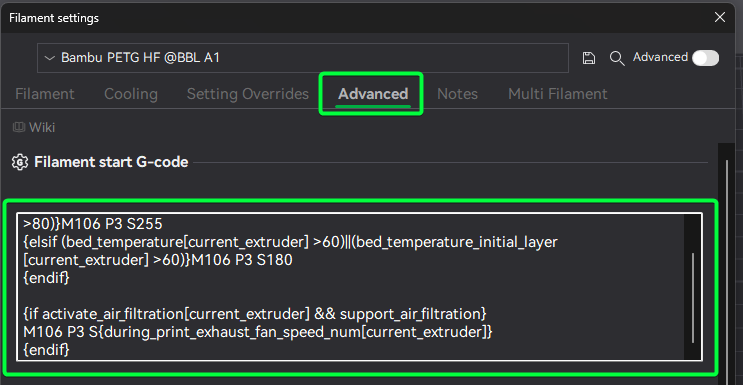
Edit the Filament Start G-Code to add a Z-offset adjustment. This gcode will add a small amount of lift to the nozzle. You’ll want to tune this in very small steps.
Add this after the ; filament start gcode comment in the start G-code text box.
;===== Z-offset adjustment for Smooth PEI Plate =====
{if curr_bed_type=="High Temp Plate"}
G29.1 Z{0.01} ; Lift nozzle slightly
{endif}
The important part is the G29.1 Z{0.01} line. Positive values move the nozzle away from the plate, negative values move it closer.
When you save this, you’ll have to give the profile a new name; we suggest Filament name - G10 Z-Offset or similar.