Introduction
This is a wiki for Darkmoon’s excellent 3D printer build plates.
You’ll find helpful troubleshooting tips, validated print profiles, and general information here.
Unlinked Menu entries on the right are pages we’re adding to the wiki. Sit tight!
Don’t hesitate to Join us in the Discord!
Plate Troubleshooting
Darkmoon plates often work without needing any sort of adjustments or troubleshooting.
Of course, nothing is perfect, and some choices made by the printer manufacturers aren’t under our control and can lead to issues.
The menu on the left will guide you through the steps you’re likely to want to go through, in order, if you run into issues.
Clean. Your. Plate.
Caution
Do not use IPA or soap on the ICE plate!
It may not immediately damage the plate, but will cause it to degrade quicker than normal
Intro
90% of the time, warping and lack of adhesion are caused by dirty build plates.
Your build plate depends on interesting interactions of heat and chemistry to bond your filament while printing, but let it go when cooled. None of that works if your build plate is covered in contaminants.
The most common contaminants are oils from your hands, contamination from other prints, and other contaminants from the environment. Open printers like the A1 are especially prone to environmental contamination.
IPA wipe
Note
No, wiping with IPA isn’t considered cleaning
Wiping with IPA is more like sweeping; it can remove some surface contaminants, but it’s not cleaning. If there’s enough crud on the plate, you’re more likely to just dilute it and spread it around than remove it.
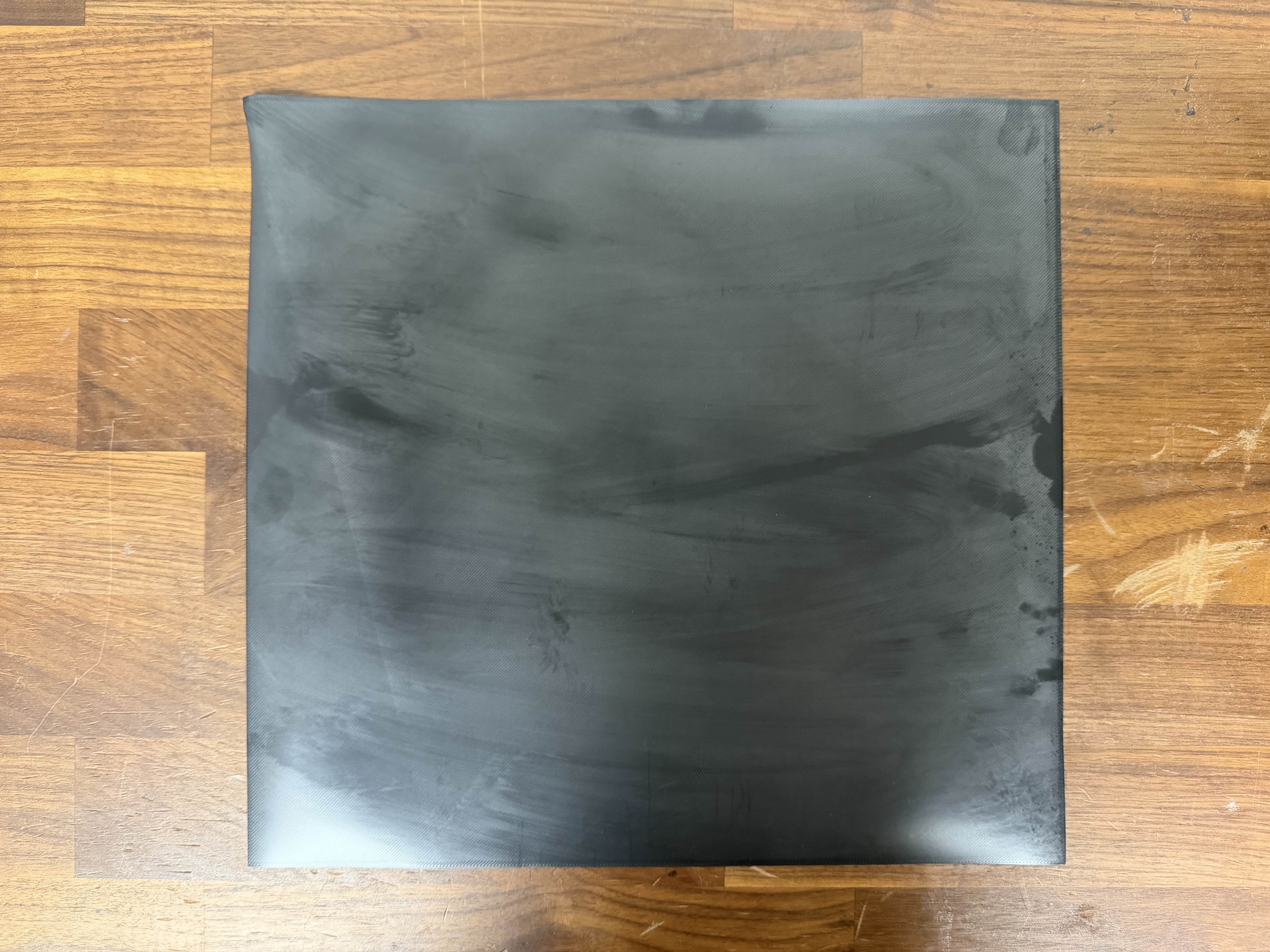
This is an extreme example of what happens when you wipe with IPA instead of cleaning. This is the bottom surface of a print on a plate that was wiped with IPA instead of being properly cleaned.
Steps of cleaning with dish soap
- Remove the plate from the printer.
- Clean the plate according to the plate’s cleaning instructions (generally Dawn/Fairy/Dreft dish soap, hot water, not luke, and a clean nylon dish brush, scrubber or sponge).
- Let the plate dry completely, or dry it with a lint-free paper towel.
- Do not touch the plate with your bare hands.
- Reinstall the plate on the printer.
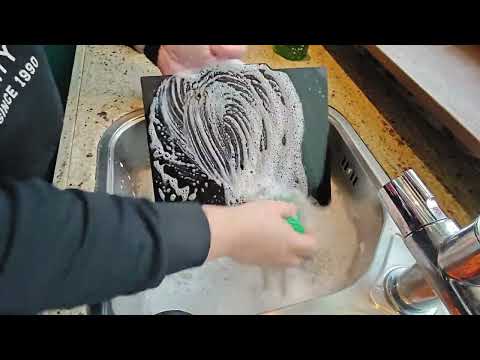
Video of cleaning the plate
Here’s how JayKay handles his plates in the tub. Please note that he’s also doing it wrong, he’s wiping, not dabbing… *sigh* :P
Reset the Bed Mesh
There’s a firmware issue on Bambu Lab printers that sometimes causes the bed mesh to be incorrect, even if you’re doing calibrations or automatic bed leveling. It seems to impact EU H2 series printers most often, but applies to all series.
This is especially common if you’re using a different plate than you originally calibrated with.
- Power off your printer for at least 30 seconds. Do not skip this step!
- Power on your printer.
- Make sure your Darkmoon plate is properly placed on the bed.
- Run your printer’s bed leveling calibrations
- on H2/P2, do both the normal and high-temp bed leveling calibrations.
Try your print again. This solves about 50% of issues we see in Discord.
Z-Offset Tuning
Plate Settings
If you find that your first layers are just a little far from the plate, Try using the “Textured PEI” setting if you were using the “Smooth PEI” plate setting. The “Textured PEI” plate setting puts the nozzle a bit closer to the plate, and is often enough to fix a z-offset not close enough issue.
Manual Z-Offset
If the plate settings don’t work, you can manually adjust the z-offset.
We’ve observed and experimentally confirmed that different filaments require different z-offsets sometimes. We know, it’s weird.
Making the change in the filament profile lets you tune the z-offset for each filament instead of changing it for all filaments and plates.
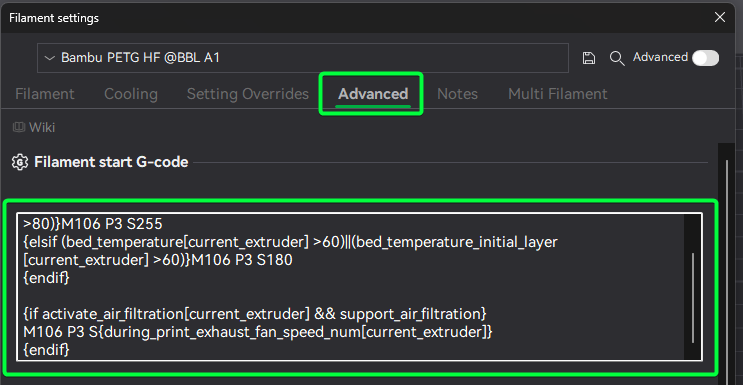
Edit the Filament Start G-Code to add a Z-offset adjustment. This gcode will add a small amount of lift to the nozzle. You’ll want to tune this in very small steps.
Add this after the ; filament start gcode comment in the start G-code text box.
;===== Z-offset adjustment for Smooth PEI Plate =====
{if curr_bed_type=="High Temp Plate"}
G29.1 Z{0.01} ; Lift nozzle slightly
{endif}
The important part is the G29.1 Z{0.01} line. Positive values move the nozzle away from the plate, negative values move it closer.
When you save this, you’ll have to give the profile a new name; we suggest Filament name - G10 Z-Offset or similar.
Scuffing
On the G10 plate, if nothing else helps, you can try scuffing the plate to improve adhesion.
Warning
Do this under running water, or outside with proper ventilation/PPE. You do not want to breathe in fiberglass/g10 dust.
Get some 0000 steel wool or maroon scrotchbrite pads.
Lightly scuff the surface of your plate.
Use a side
Contributors
Thanks to our contributors for helping us build the wiki!